
Territory tools are usually built for the office. ManaMD is built for the field, and the easiest way to explain it is to walk through a day.
A notification lists your follow-ups due today, the account that moved most since yesterday, and a short AI summary of where your time is best spent. You read it over coffee instead of building a plan from memory.
The map shows accounts as pins sized by upside. You notice a surgery center with $600K of untouched volume two blocks from an account you were already visiting, and add it to the route.
The pre-call brief takes about sixty seconds to read: case volumes, the trend, which competitors have payment relationships in the account, and three talking points. Briefs are cached on the phone, so this works in a concrete stairwell.
A notification: one of your accounts is up sharply year over year, or a physician new to the territory has started doing cases, or a competitor's device was just recalled. Tapping the alert opens the account.
An administrator asks about reimbursement. The rates are in the app, by code and care setting, with this year's changes, and your contract position for the products this account uses, against regional and national averages. If the conversation turns competitive, the battlecard shows the other vendor's payment ties and their recent recalls.
Two taps to record the visit and outcome, or dictate the note if you're driving to the next one. Set a follow-up and it lands on your calendar; the reminder arrives the morning it's due and opens straight to the account. Worth pursuing? Create the opportunity in your CRM from the same screen.
The quota ring shows where you stand for the quarter. If you want tomorrow's first stop, ask Siri for your top target. The next morning brief is already scheduled.
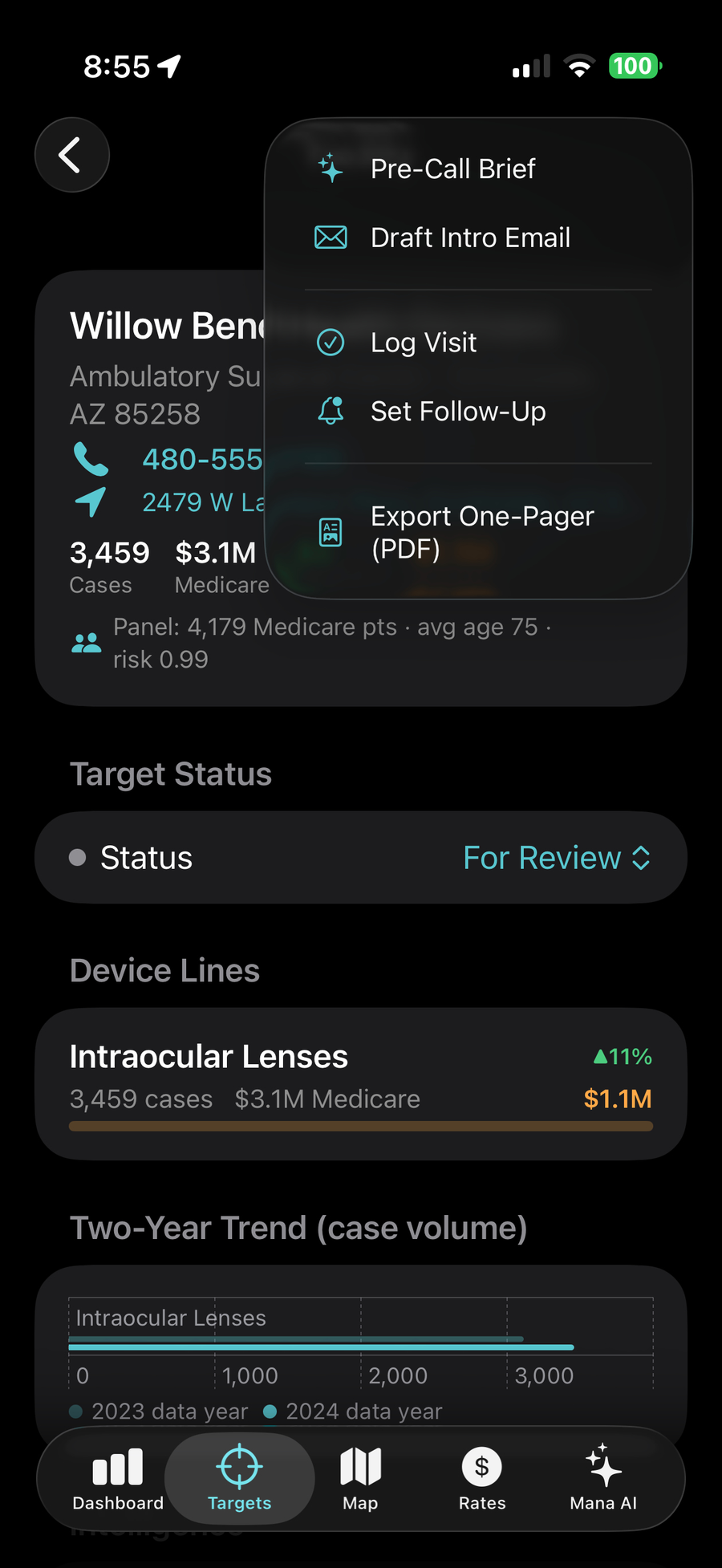
From any account page: generate a pre-call brief, draft an introduction email, log the visit, set a follow-up, create an opportunity in your CRM, or export a one-pager PDF. The tools live where the work happens, so nothing waits for the laptop.
Territory data ships with the app, and briefs are cached after they are generated. Hospitals with no signal are where you need the data most.
Office phones and addresses come from the NPPES registry. Tap to call, tap for directions. No copying into Maps.
Every screen notes its source. Medicare-only views are labeled as such, so you never overstate a number in front of a customer.
We will show you your own geography with real data, and you can judge whether the whitespace is real.
Request a demo →